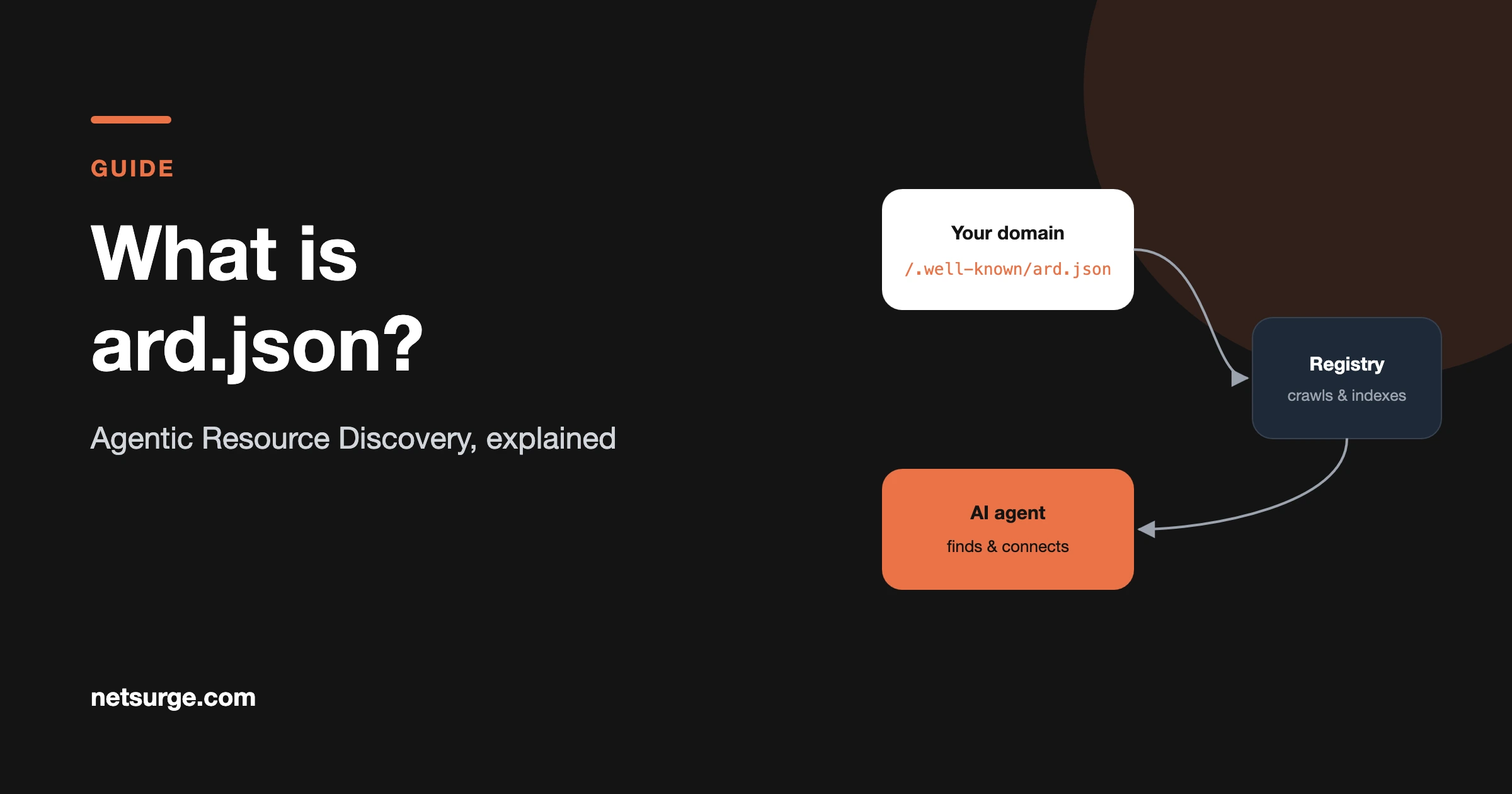
An Agentic Resource Discovery (ARD) manifest is a JSON file, served at /.well-known/ard.json, that lists the tools and services AI agents can use from your organization, such as MCP servers, agents and skills. Registries crawl these files so agents can find, verify and connect to capabilities across the web.
Table of Contents
Why does Agentic Resource Discovery exist?
AI agents need a reliable way to find tools across organizations, decide which to use and check they’re safe to connect to. Until now, those tools have been spread across separate, ecosystem-specific directories. In Google’s words, “there is no standard way to answer those questions across organizations.”
ARD is a draft open standard meant to fix that. Eleven companies released it on 17 June 2026, including Google, Microsoft, GitHub, Hugging Face, Cisco, NVIDIA and Salesforce. It builds on the AI Catalog data model maintained by a Linux Foundation working group and is licensed under Apache 2.0.
The file was first called ai-catalog.json. In the August 2026 revision (v0.91) it moved to /.well-known/ard.json; the old name still works but is treated as legacy.
How do agents and registries use an ARD manifest?
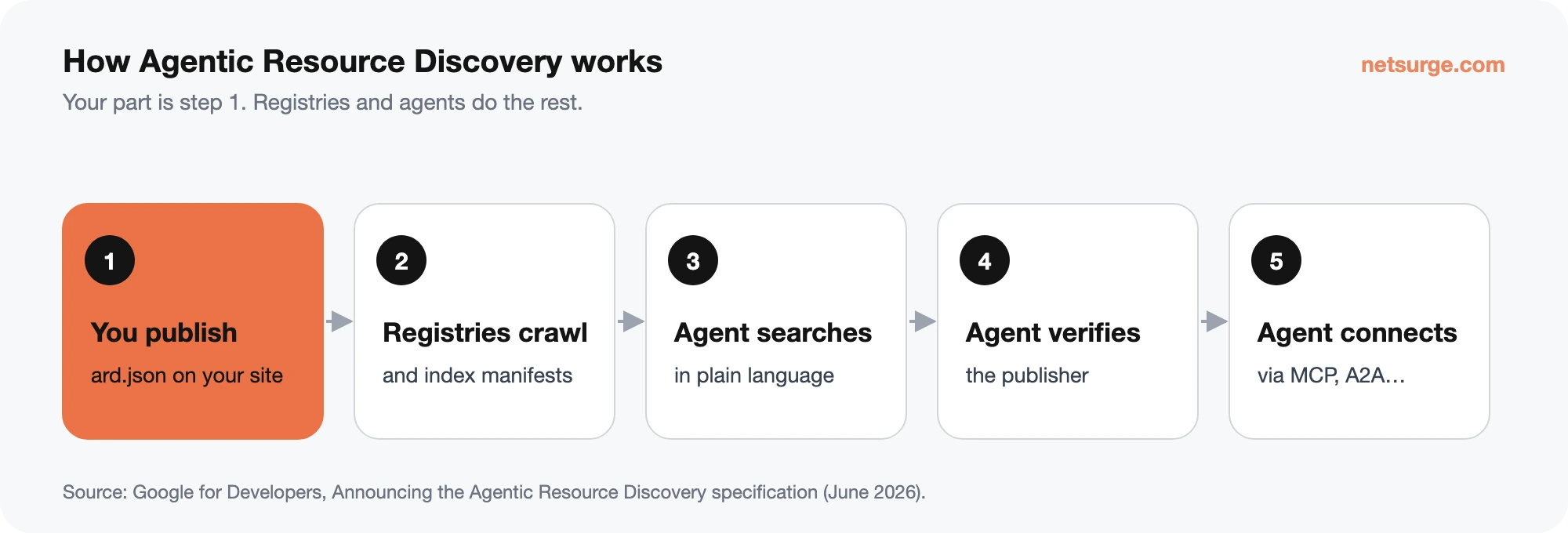
- You publish an ard.json file on your own domain, listing your agent-ready capabilities. Owning the domain is the basis of trust.
- Registries crawl published manifests and index them. Early examples include GitHub’s agent finder for Copilot, Hugging Face’s Discover Tool and Cisco’s AGNTCY Agent Directory; Google has said ARD support in its Agent Registry is coming.
- An agent searches a registry in plain language (“find me a weather forecasting tool”) or reads a known partner’s manifest directly.
- The agent verifies the publisher, optionally through cryptographic trust metadata in the manifest.
- The agent connects to the tool using its own protocol, such as MCP or A2A.
What goes in an ard.json file?
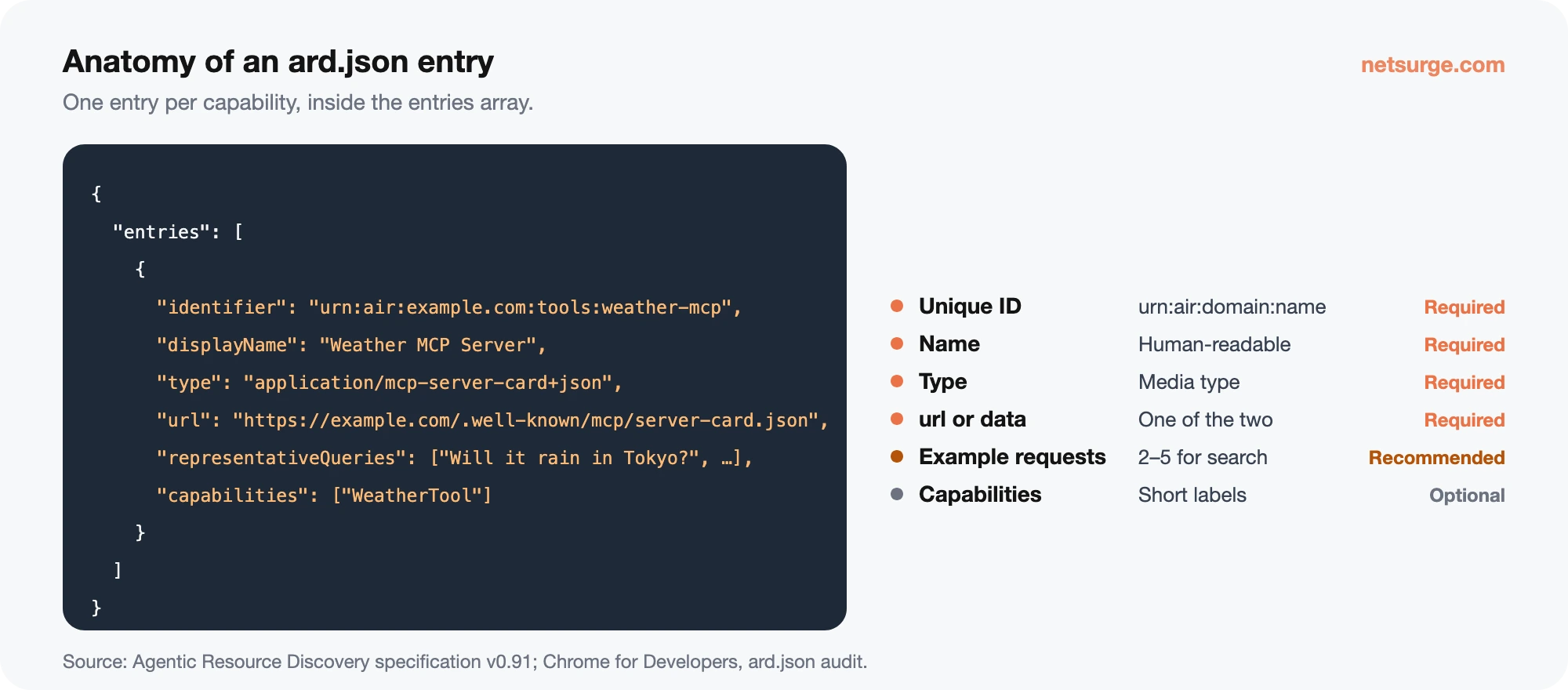
The manifest is a JSON object with one required member, entries: an array that lists your capabilities. Other top-level members are ignored by ARD.
| Field (per entry) | Required? | What it holds |
|---|---|---|
identifier | Yes | A unique ID in the form urn:air:<your-domain>:<namespace>:<name>, e.g. urn:air:example.com:tools:weather-mcp. The namespace is optional. |
displayName | Yes | A human-readable name. |
type | Yes | A media type saying what the entry is (see below). |
url or data | Exactly one | A link to the capability’s card, or the card itself inline. Both or neither is an error. |
representativeQueries | Recommended | 2–5 example requests the capability answers. Registries use them for search. |
capabilities | Optional | A list of short capability names. |
trustManifest | Optional | Trust metadata; if used, it must include an identity that matches your domain. |
The standard entry types include application/mcp-server-card+json (MCP servers), application/a2a-agent-card+json (A2A agents), application/agent-card+json, the application/agent-skills+… family for agent skills, application/agent-plugins+zip for plugins, and application/ai-catalog+json for a nested catalog. Any valid media type is accepted, but these are what registries recognize.
A minimal valid manifest, adapted from Google’s Lighthouse documentation:
{
  "entries": [
    {
      "identifier": "urn:air:example.com:tools:weather-mcp",
      "displayName": "Weather MCP Server",
      "type": "application/mcp-server-card+json",
      "url": "https://example.com/.well-known/mcp/server-card.json",
      "representativeQueries": [
        "What's the weather in Paris tomorrow?",
        "Will it rain in Tokyo this weekend?"
      ],
      "capabilities": ["WeatherTool", "ForecastTool"]
    }
  ]
}
Agents find the file at /.well-known/ard.json, or through an Agentmap: line in robots.txt, a <link rel="ard"> tag or a Link: rel="ard"HTTP header.
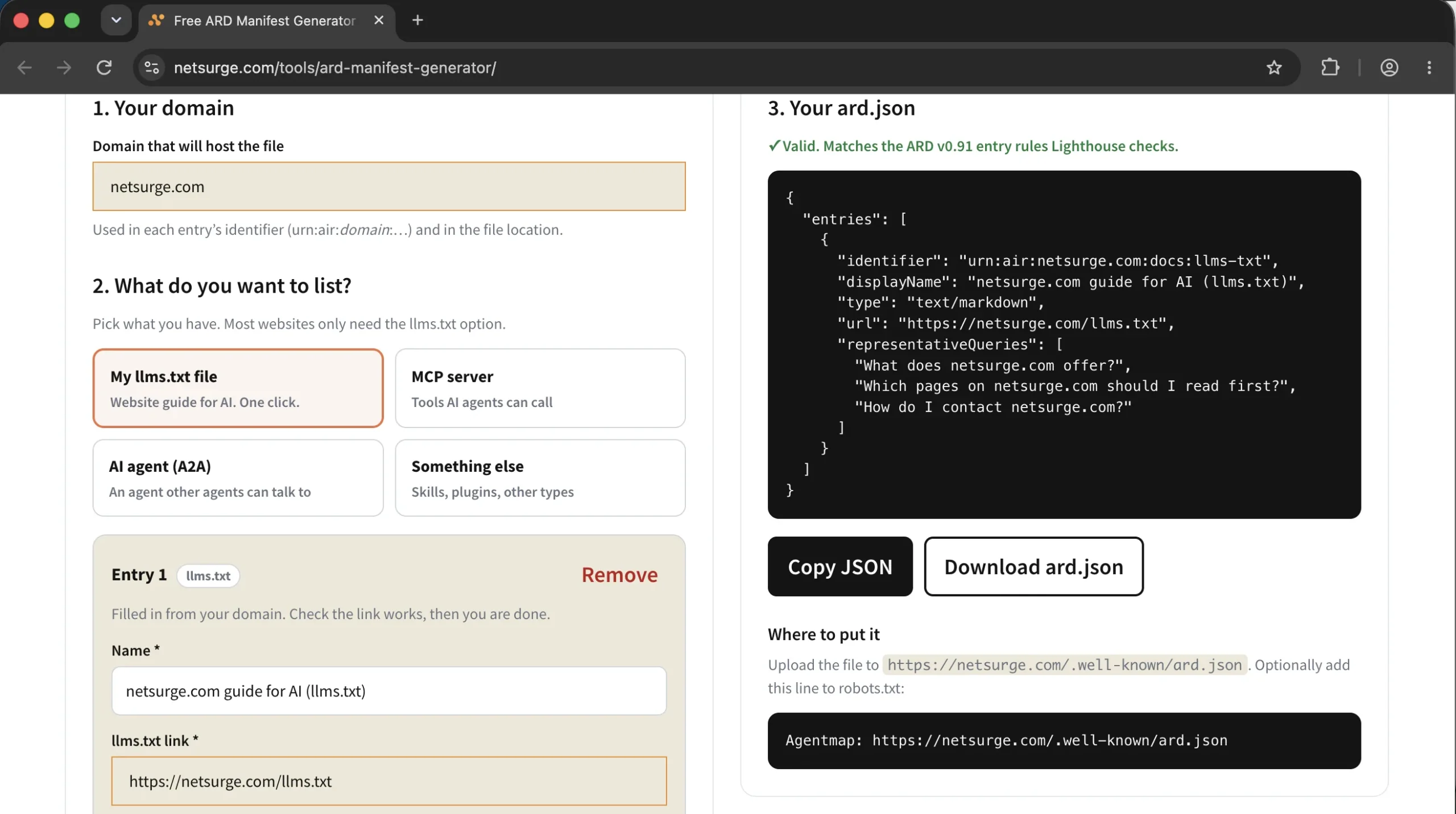
Build yours without writing JSON by hand. Our free ARD Manifest Generator creates a valid ard.json from a simple form, builds the urn:air identifiers for you and checks each entry against the same rules PageSpeed Insights and Lighthouse use before you download it.
Does your website need an ard.json file?
Most business websites don’t need one yet. As Search Engine Journal put it, “ARD is for publishers of callable capabilities”, and Google calls it “a specification rather than a Google Search feature”. It doesn’t affect your rankings or your chances of being cited in AI answers.
| You should publish one if you… | You can skip it if you… |
|---|---|
| Run an MCP server, A2A agent or public API that agents could call | Run a brochure or service website with no agent tools |
| Publish agent skills or plugins | Mainly want visibility in ChatGPT or Google AI Overviews (that’s GEO) |
| Build SaaS products your customers’ agents should discover | Have no capability you’d want an agent to connect to |
If you skip it, PageSpeed Insights and Lighthouse simply mark the ard.json audit as not applicable, with no penalty. (PageSpeed Insights runs Lighthouse behind the scenes, so you’ll find the same ard.json audit in both, under Agentic Browsing.)
Some sites publish a small manifest anyway, listing a public tool or an llms.txt file, to pass the audit and signal agent-readiness. That is allowed, since any valid media type is accepted, but registries are built around agent tools, so don’t expect traffic from it. Never list ordinary marketing pages; that turns the manifest into keyword stuffing.
How to publish and test an ard.json file on WordPress
- List your agent-ready capabilities. For each one, note its card URL (for example an MCP server card), a display name and two to five example requests it handles.
- Write the manifest. One entry per capability, with an
identifierthat uses your own domain, e.g.urn:air:yourdomain.com:tools:quote-calculator. The free Netsurge ARD Manifest Generator does this for you and flags errors before you download the file; it can also import an existing ard.json or ai-catalog.json for editing. - Upload it to
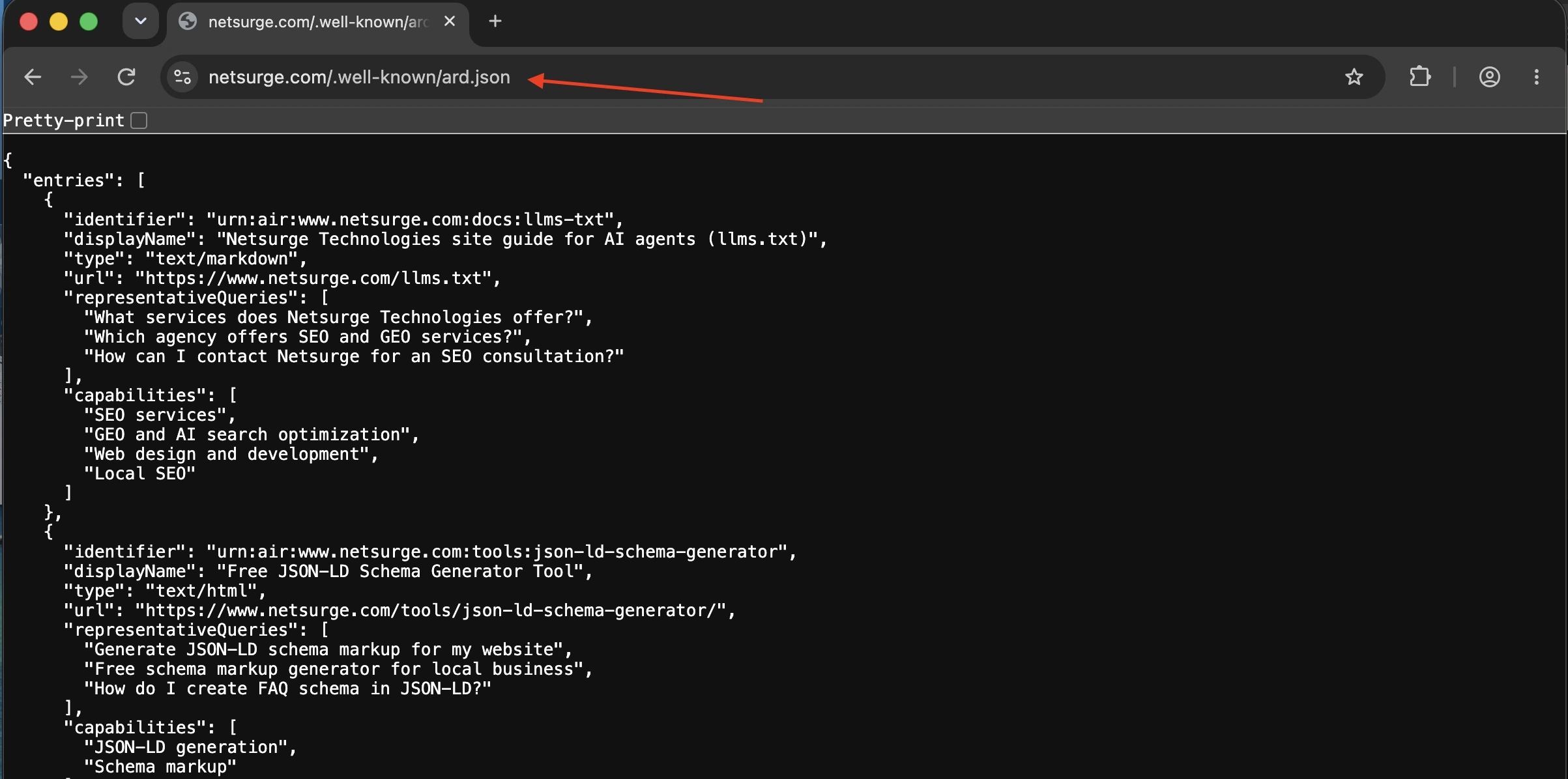
/.well-known/ard.json. WordPress doesn’t manage the.well-knownfolder, so use your host’s file manager or SFTP to place the file in your site root. Check it loads in a browser and returns JSON, not a WordPress 404 page.
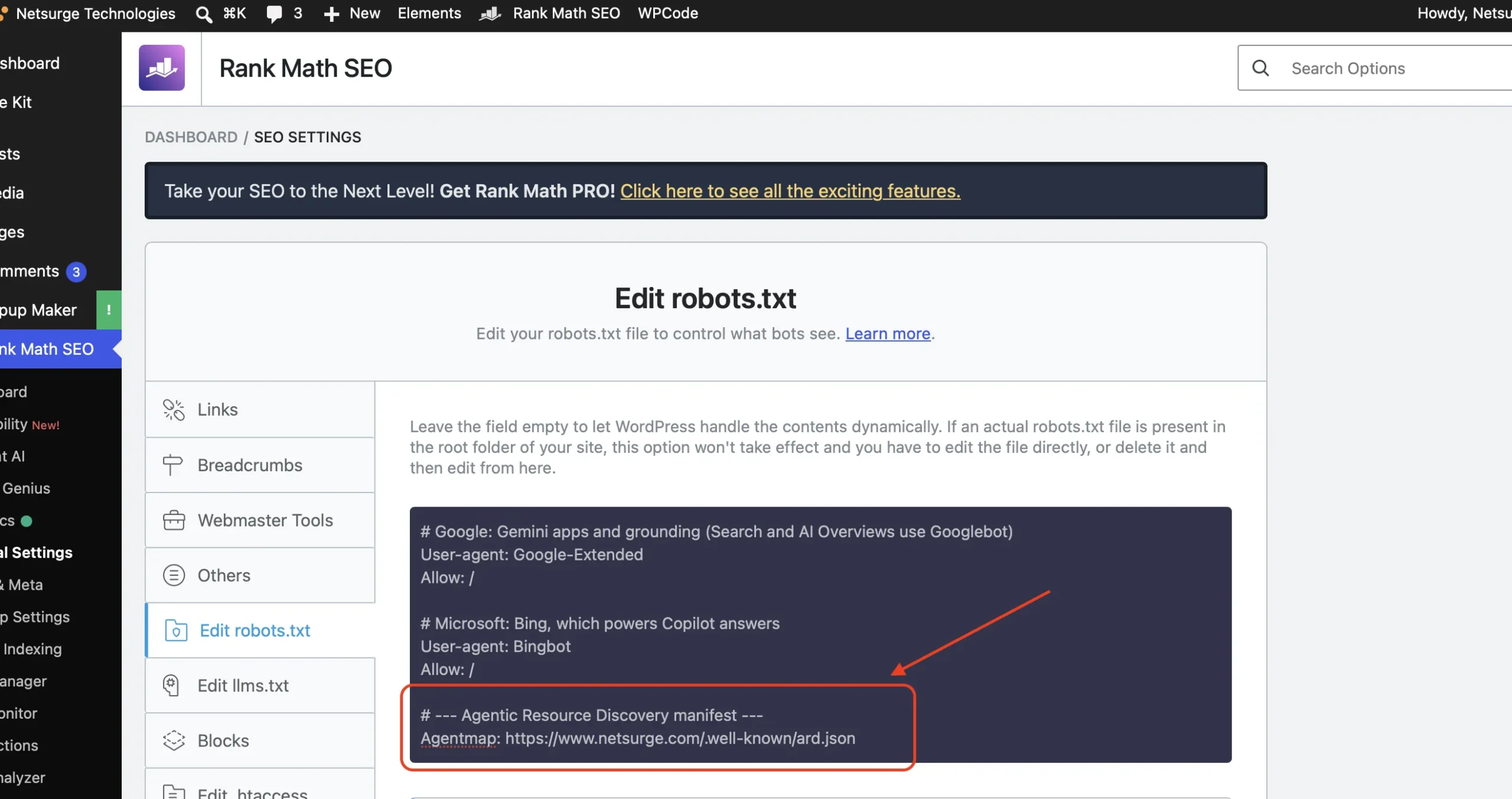
- Point to it (optional). Add
Agentmap: https://yourdomain.com/.well-known/ard.jsonto robots.txt. Rank Math and Yoast both let you edit robots.txt from the dashboard.
- Make sure every URL works. Lighthouse fails the audit if an advertised location doesn’t load.
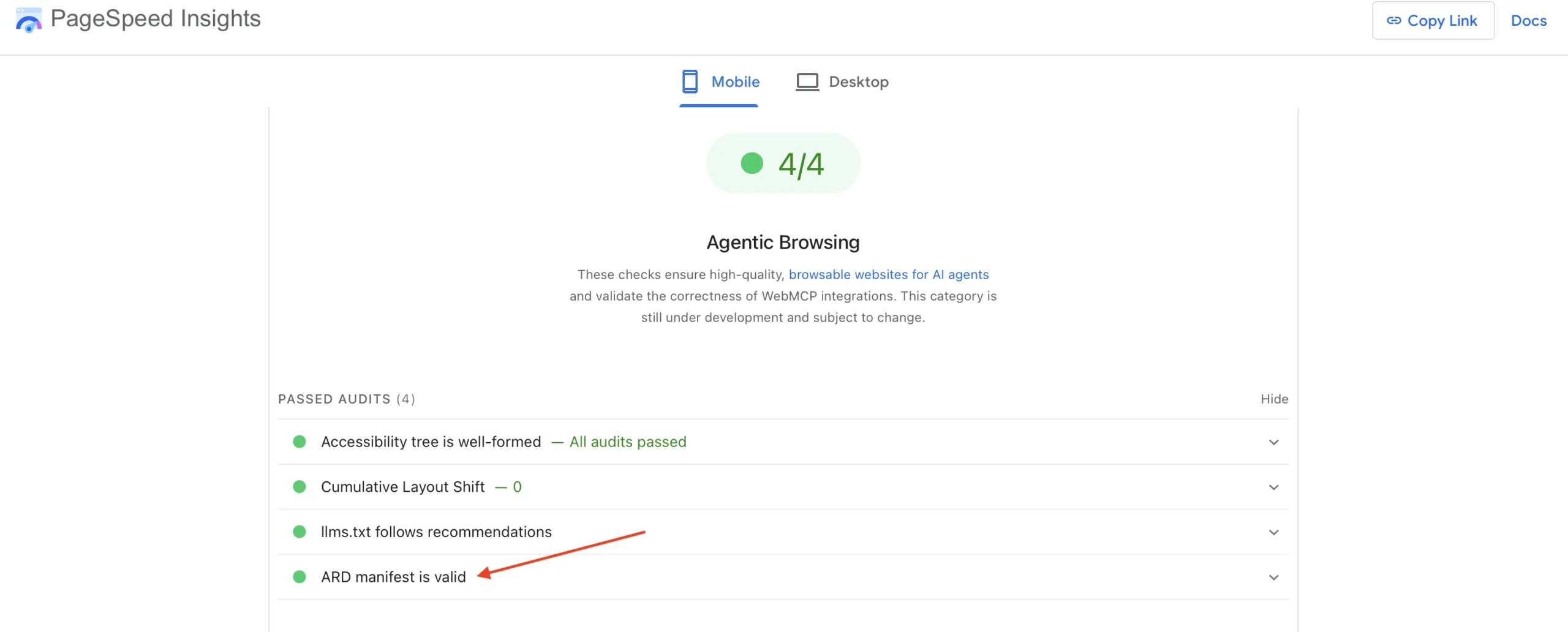
- Test with PageSpeed Insights. Enter your homepage at pagespeed.web.dev and check the ard.json audit under Agentic Browsing passes with no warnings. If the category isn’t showing yet, run Lighthouse from Chrome DevTools with Agentic Browsing included; it uses the same audit.
- Keep it current. Update the manifest whenever you add or retire a capability, and watch the spec for changes while it’s in draft.
Check out our website development services if you want technical needs of your website taken care of or need a new website built from scratch.
Need help preparing your site for AI agents and AI search? See our AEO and GEO service.
Frequently asked questions
What is the difference between ard.json and ai-catalog.json?
They are the same manifest under different names. The draft first used ai-catalog.json; the v0.91 revision in August 2026 moved it to /.well-known/ard.json. PageSpeed Insights and Lighthouse still read the old location but shows a warning, so new sites should use ard.json.
Is ard.json the same as llms.txt?
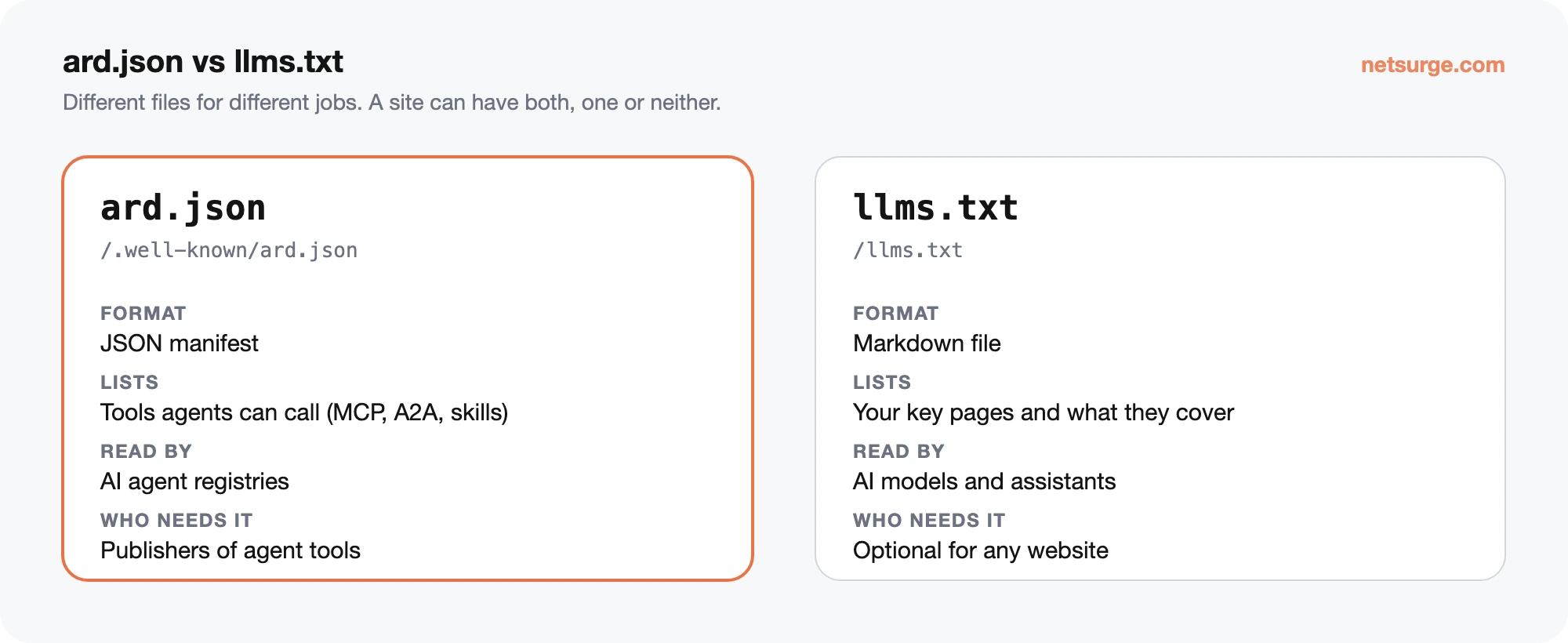
No. llms.txt is a Markdown summary of your website and key pages for AI models to read. ard.json is a machine-readable list of tools and agents that AI agents can call, such as MCP servers. A site can have one, both or neither.
Does ard.json help SEO or AI search visibility?
Not directly. Google describes ARD as a specification, not a Google Search feature, and nothing ties it to rankings or AI Overview citations. Its value is for organizations whose tools agents should discover. For AI search visibility, focus on generative engine optimization.
What happens in PageSpeed Insights if I don’t have an ard.json file?
In PageSpeed Insights and Lighthouse, the ard.json audit is marked not applicable, which doesn’t affect your result. The audit only reports an error if a manifest exists but is invalid, or if a location you advertise fails to load.
Is ARD a finished standard?
No. It’s an open draft, version 0.91 at the time of writing, backed by Google, Microsoft, GitHub, Hugging Face and others. Field names and file locations have already changed once, so check the latest specification before you publish or update a manifest.
Getting your business ready for AI agents
Netsurge helps businesses get found and cited in ChatGPT, Gemini, Perplexity and Google’s AI results. See our AEO and GEO service, try our free ARD Manifest Generator, or read our guide to Agentic Browsing in Lighthouse.
Last updated: November 12th, 2026. Reviewed by: Netsurge Content Team.
Sources
- Agentic Resource Discovery, Specification v0.91
- Google for Developers, Announcing the Agentic Resource Discovery specification (17 June 2026)
- Chrome for Developers, ard.json Lighthouse audit
- Search Engine Journal, Google, Microsoft back draft AI agent discovery spec
- Search Engine Journal, Lighthouse adds ARD audit